
Network Segmentation for Small Business: Contain the Breach, Save the Company
Network segmentation for small business sounds like enterprise jargon, but it is the single control that decides whether one infected laptop becomes a full ransomware event or a contained Tuesday afternoon. Most businesses with fewer than 250 people run one flat network: staff laptops, the server, guest Wi-Fi, printers, and the CCTV recorder all share the same address space. Anyone who gets inside, through phishing, a stolen password, or a vulnerable camera, can reach everything in minutes.
This guide explains what segmentation actually is, what it costs for a typical South African office, and how to plan the work in phases without disrupting daily operations. If you take one idea from this article, take this one: the value of segmentation is not prevention, it is containment. Attacks still get in. Segmentation decides how far they get.
What Is Network Segmentation?
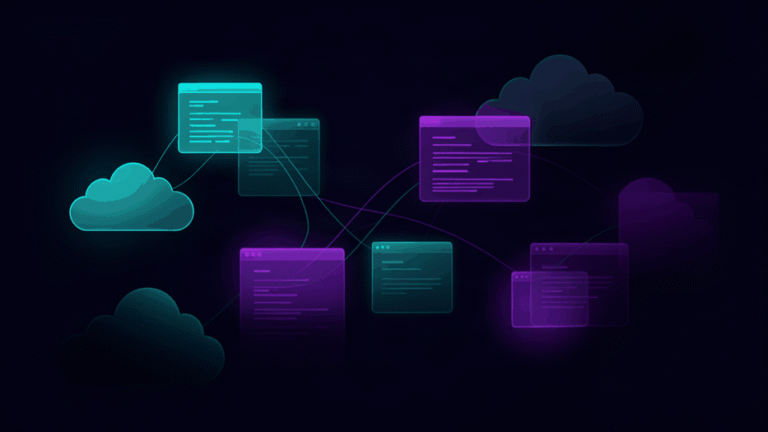
Network segmentation divides one network into smaller zones and controls traffic between them. Each zone holds devices that share a purpose and a trust level. A typical small business ends up with five or six zones: servers, staff devices, guest Wi-Fi, printers and scanners, building systems like CCTV and access control, and a zone for anything third parties need to reach. Rules between zones say exactly what may talk to what. Everything else is denied.
Think of a hospital ward versus an open-plan hall. In the hall, one infection spreads to everyone. In the ward, it spreads to one room, and the doors between rooms decide where it stops. Segmentation builds those doors. Modern switches support virtual LANs, VLANs, which create the zones on hardware you probably already own, with firewall rules managing the traffic between them.
Why Flat Networks Fail During an Incident
Here is the pattern we see repeatedly in South African SMBs. A staff member opens a phishing attachment. The laptop is infected. Because the network is flat, the ransomware finds the file server, the accounting database, and the backups within minutes, and encrypts all of them. Total loss, full restore from offline backups, days of downtime.
Now run the same scenario on a segmented network. The laptop sits in the staff zone, which has no route to the server zone. The infection encrypts the user’s documents in OneDrive, gets cleaned or reimaged the same day, and the file server never sees a single malicious packet. Same attack, dramatically different outcome. Segmentation does not make you invisible to attackers. It makes their first foothold worthless.
The same logic covers IoT. CCTV recorders are notoriously poorly patched and often reachable from the internet by mistake. On a flat network, a compromised recorder is a beachhead for scanning everything. On a segmented network, it can talk to its cameras and nothing else. Vendor and maintenance links get the same treatment, a third party’s support router sits in its own zone with access to exactly the system it maintains.
The Zones a 20-Person Business Needs
You do not need enterprise complexity. Six zones cover most small offices:
- Servers and storage — reachable only from staff devices on the specific ports your applications use
- Staff devices — full internal access they need for work, no direct exposure to the internet
- Guest Wi-Fi — internet only, no internal access, bandwidth-limited, isolated from every other zone
- Printers and multifunction devices — reachable from staff devices, nothing else
- Building systems — CCTV, access control, alarms, in their own zone with no route to servers
- Third-party access — a small zone for vendor support connections, each with its own rules and an expiry date
The rules between zones follow one principle: default deny, then allow specific flows. Staff reach the server zone on the ports the finance system needs. Nothing reaches the server zone from guest, printers, or building systems. This is an afternoon of configuration on most networks, not a project.
How Much Does Segmentation Cost?
The honest answer depends on your existing hardware, and it is usually less than owners expect. If your switches already support VLANs, which most managed switches bought in the last eight years do, the work is configuration: designing zones, applying VLANs, writing inter-zone rules, and testing. For a single-site business this typically lands between R15,000 and R40,000 including the assessment that scopes it. If switches need upgrading, add the cost of one or two managed switches.
Multi-site businesses pay more, mostly because each branch edge needs the same discipline, and failover links like LTE backups are routinely forgotten. That is exactly where a managed provider earns its keep: the same rules, documented, applied to every link on every site, reviewed when anything changes. Against the cost of a single full-network ransomware event, which for an unprepared South African SMB runs into hundreds of thousands of rand in downtime, segmentation is one of the highest-return security investments available at this company size.
How to Plan the Work in Phases
Phase 1: Inventory and guest isolation
List every device on the network. You cannot segment what you have not counted, and the inventory itself usually surfaces forgotten devices, an old ADSL router, a media player, a vendor box nobody owns. In the same phase, turn on guest network isolation, which most business routers already support. One evening of work, immediate benefit.
Phase 2: Protect the servers
Put servers in their own zone first. They hold the data attackers want, so they get the tightest rules: reachable from staff devices on the required ports only, unreachable from everywhere else. Test each business application after the change, the point is to break attacker paths, not workflows.
Phase 3: Quarantine the risky zones
Guest Wi-Fi, CCTV, printers, and third-party links move next. None of them needs server access, so the rules are simple and the risk reduction is immediate. This is also where building systems get separated, which matters because IoT devices are the least-patched devices on any network.
Phase 4: Monitor and maintain
Once zones exist, watch the traffic between them. Denied traffic logs show you both misconfigurations and genuine threats. Rules get reviewed when systems change, and the zone map becomes part of onboarding documentation instead of living in one technician’s head. For the detection side of a segmented network, our guide to patch management covers the maintenance half of the same discipline, and finding shadow IT closes the biggest inventory gap before segmentation starts. The UK National Cyber Security Centre publishes straightforward small business security guidance that aligns with this phased approach, and the Center for Internet Security maintains free configuration benchmarks for the hardening work that follows.
Common Objections, Answered
“Our network is too small for this.” The 2024 and 2025 ransomware waves hit small businesses precisely because flat networks make them fast, easy targets. Attackers automate the whole chain, so company size barely changes their cost. Segmentation is the control that changes the economics in your favour.
“It will slow the network down.” Correctly designed rules have no measurable impact on the flows your business uses. The only things that slow down are the attacks.
“We’ll reconfigure everything when we move offices.” Offices move on average every seven years. Attacks do not wait. Segmentation done now travels with you, VLAN configs migrate to new switches in hours.
Frequently Asked Questions
What is network segmentation in simple terms?
It is dividing one network into smaller zones that cannot freely talk to each other, like internal walls in a building. Staff devices, servers, guest Wi-Fi, and CCTV each sit in their own zone, and rules control the doors between them. When something in one zone is compromised, the walls stop it reaching the rest.
Do I need new hardware to segment my network?
Usually not. Most managed switches from the last several years support VLANs, and most business routers support multiple networks and inter-zone rules. The work is mostly design and configuration. An assessment will tell you within an hour whether your existing hardware is ready.
What is the difference between VLANs and a firewall?
A VLAN creates the zones; the firewall writes and enforces the rules between them. You need both. VLANs without rules are just labels, and firewall rules without zones have nothing structured to govern. Together they form segmentation.
Will segmentation stop ransomware completely?
No single control stops everything, and anyone promising that is selling hope. Segmentation contains ransomware so an infection on one laptop or zone cannot encrypt the whole business. Paired with offline backups, endpoint protection, and staff awareness, it turns a company-killing event into a bad morning.
How long does segmentation take to implement?
A single-site small business typically takes one to two weeks from assessment to tested go-live, done in phases outside business hours. Multi-site environments take longer, mostly because every branch and failover link needs the same review. Disruption is minimal because each phase is tested before the next begins.
The Takeaway
Network segmentation for small business is the highest-value containment control you can buy for the money. It assumes attackers will get in, because sometimes they will, and it decides in advance how little they can do about it. Start with an inventory and guest isolation this month, put your servers behind real rules next, and quarantine the risky zones after that. If you would rather have a specialist scope it, network segmentation design and rollout is standard work for Hayshack, and the assessment will tell you exactly which phases your network needs and what each will cost. Flat networks are how whole businesses get encrypted at once. Walls are how they do not.